Document scanning
Scan documents, receipts, contracts, and notes with your phone. The AI document scanner produces clear, readable scans.
Scan documents to PDF in seconds. Use your phone as a document scanner: capture receipts, contracts, and pages. AI straightens and enhances, then saves as PDF. No extra setup.
Scan to PDF and keep documents in order: receipts, contracts, ID scans, meeting notes. A good document scanner app saves time — scan with your phone, get a clean PDF to share or store. Scanyx is a mobile PDF scanner that works like a pocket scanner.
Scan documents, receipts, contracts, and notes with your phone. The AI document scanner produces clear, readable scans.
Automatic border detection and straightening — no manual tweaks. Works like a pro document scanner.
B&W, contrast, and enhancement for readable text. Scan to PDF with professional-looking results.
Merge multiple scans into one PDF. Save and send — perfect for multi-page document scanning.
Share your PDF by email, messenger, or save to device. Mobile scanner that fits your workflow.
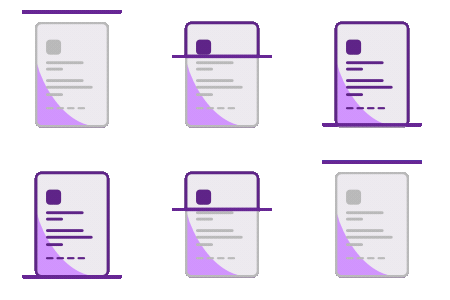
Point your phone at the page, receipt, or contract — like using a portable document scanner.
The scanner app straightens and enhances the image automatically for a clean document scan.
Export as PDF and save to device or share. Your document scanner in your pocket.